This feature allows administrators to create user groups according to geographical time zones, thus enabling more effective collaboration among employees working across different regions.
Advantages
- Empowering Global Voice: This feature enables employees to auto-share and publish content to their social media feeds in line with their local time zones.
- Ensuring Relevance: Content auto-shared to social media channels is more timely and relevant, maximizing the chances of engagement from the employee's network.
- Increasing Visibility: By allowing content to be published at optimal times in various time zones, the feature enhances the visibility and reach of shared content on a global scale.
Here is how to utilize this new feature:
Step1: Navigate to User Groups
Login with admin account. Access Team Settings from the left-side menu. Navigate to Users & Notifications tab.
Step 2: Create or Edit 'User Group'
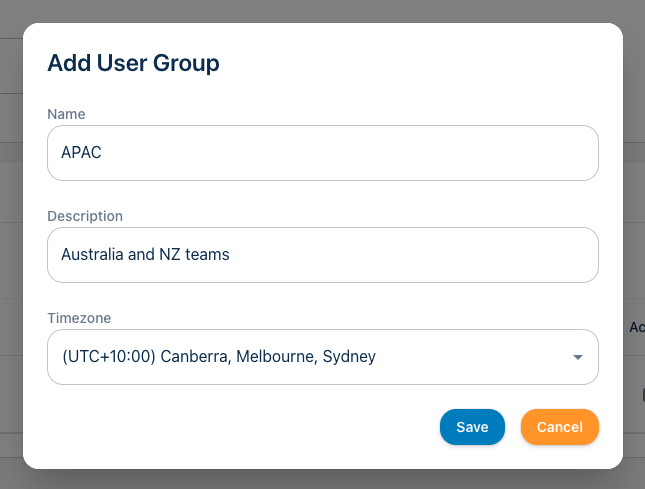
Under User Groups, click on 'New User Group'. Add Time Zone to each group.
Note: If no TimeZone is chosen, the default Team time zone will apply.
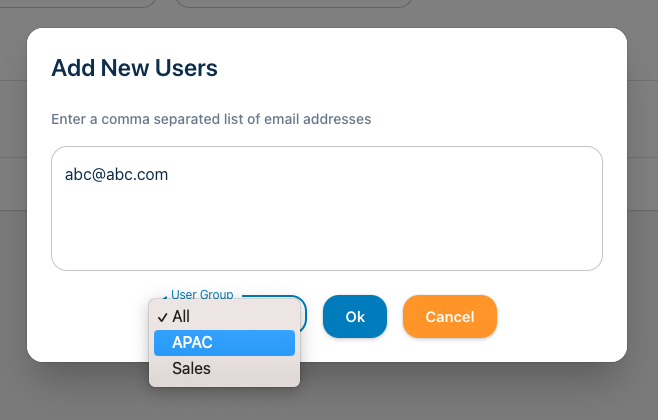
Step 3: Add or Edit Users
Navigate to the Team page. Add User or Edit User and choose the right User Group for each user. You can add multiple users to the UserGroup at once by uploading comma separated email addresses.